Turnitin AI checker for students
Turnitin AI Checker for Students: A Complete Guide
The Turnitin AI checker for students has become one of the most discussed tools in academic circles since ChatGPT and other generative AI tools exploded onto the scene. If you are wondering what this technology means for your essays, research papers, and assignments, you are not alone. Millions of students now face the reality that their work might be scanned for plagiarism and AI-generated content.
Since April 2023, Turnitin has processed over 130 million papers for AI detection. Of those submissions, 3.5 million were flagged with 80% or more AI-written content, and 12.5 million contained over 20% AI-generated text. These numbers tell a clear story: AI detection is now a standard part of academic assessment.
This guide breaks down everything you need to know about how Turnitin detects AI, what the reports show, and how you can protect your academic standing.
What Is Turnitin AI Checker?
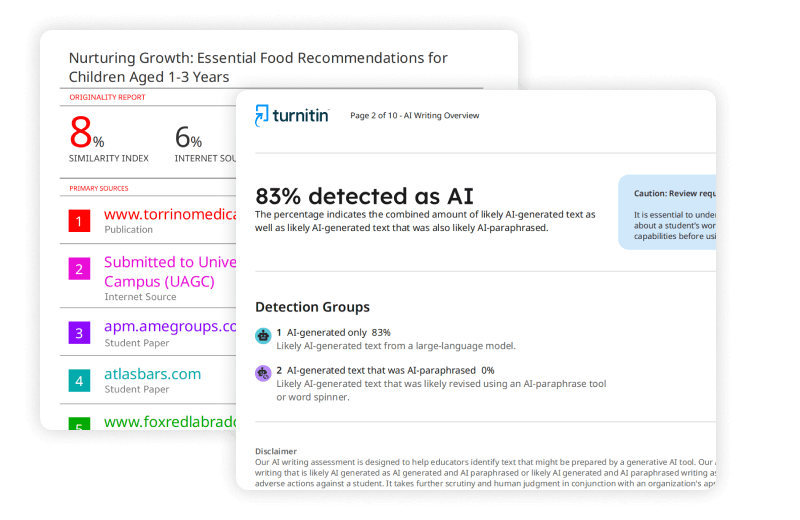
Turnitin AI detection is a feature built into Turnitin’s existing plagiarism detection system. It analyzes submitted text to identify content that was likely generated by large language models like ChatGPT, GPT-4, Gemini, and LLaMA. The tool does not work as a standalone product. Instead, it integrates directly into the Similarity Report that instructors see when you submit an assignment.
The technology behind Turnitin AI detection checker differs significantly from traditional plagiarism detection. While plagiarism tools compare your writing against existing databases of published work, AI detection looks at statistical patterns in how sentences are constructed. The system evaluates perplexity (how predictable your word choices are), burstiness (variation in sentence length), and repetitiveness (overuse of common transition words like “furthermore” or “moreover”).
Turnitin claims its AI detector essay Turnitin system achieves 98% accuracy when identifying wholly AI-generated content. However, the company also acknowledges that it intentionally misses about 15% of AI writing to keep false positives below 1%. Annie Chechitelli, Turnitin’s chief product officer, put it plainly: “We would rather miss some AI writing than have a higher false positive rate.”
How Does Turnitin AI Detection Work?
When you submit a paper through your university’s learning management system, the Turnitin AI detection for students feature breaks your text into segments of several hundred words. Each segment runs through a machine learning model that assigns a probability score ranging from 0 (very likely human-written) to 1 (very likely AI-generated).
The system looks for four key characteristics:
- Perplexity: Human writing tends to be less predictable, with more variation in word choice and sentence structure
- Burstiness: Natural human writing mixes short and long sentences, while AI produces more uniform patterns
- Repetitiveness: AI-generated text often relies heavily on common phrases and transition words
- Generic tone: Machine writing struggles to include personal experiences, specific details, or unique perspectives
Your submission must be at least 300 words for the AI detection to activate. Anything shorter simply will not trigger the analysis.
Can Students Access Turnitin’s AI Checker?
Here is the straightforward answer: no, students cannot directly access Turnitin’s AI checker. The AI writing detection indicator and report are visible only to instructors. Even if your professor allows you to view your Similarity Report, the AI detection results remain hidden from student view.
This limited access creates frustration for many students who want to check their work before submission. You might be asking, “Can students access Turnitin’s AI checker through any other means?” The official answer remains no. Only institutions with proper licensing can enable and view AI detection results.
If your instructor has concerns about your work, they can download a PDF copy of the AI writing report and share it with you. But this happens only after submission and only if problems are suspected.
Alternative Options for Students
Since direct access to Turnitin AI checker free options does not exist through official channels, students have turned to third-party alternatives. Services like answersfountain.com and other AI detection tools claim to provide Turnitin-style reports without storing your work in Turnitin’s database.
However, be cautious with free online AI detectors. Many tools marketed as Turnitin AI checker for students free alternatives use different detection methods and can produce wildly inaccurate results. Some are designed to exploit student anxiety, falsely flagging human-written work as AI-generated so they can sell you “humanizer” tools. Ironically, these humanizer services often use AI themselves and can be detected by institutional tools.
Uploading your work to random websites also raises serious concerns. You give away your intellectual property, and some companies may use your submissions to train their own AI models or sell your work to other students. This creates its own academic integrity risks.
What Does Turnitin AI Detection Detect?
The Turnitin AI detector for students is specifically designed to identify content generated by major large language models. As of 2024, the system can detect text produced by:
- GPT-3 and GPT-3.5
- GPT-4 and GPT-4o
- Gemini (Pro)
- LLaMA
In July 2024, Turnitin expanded its capabilities to include Spanish language submissions. The Spanish AI detection model operates separately from the English version and has been trained specifically on Spanish language writing patterns.
AI-Generated vs. AI-Paraphrased Content
The Turnitin AI detection system distinguishes between two categories of flagged content:
AI-generated only: Text highlighted in cyan indicates content likely written directly by a large language model. This may include text that was then modified by AI bypasser tools designed to evade detection.
AI-paraphrased content: Text highlighted in purple shows content that was likely AI-generated and then modified using AI paraphrasing tools like QuillBot or word spinners.
Currently, the AI paraphrasing detection feature is available only for English submissions. Spanish and Japanese AI detection do not include paraphrasing capabilities.
What Turnitin Cannot Detect
Understanding the limitations of Turnitin AI detection checker technology is just as important as knowing what it catches. The system struggles with several types of content:
- Hybrid writing that combines human and AI-generated text (detection accuracy drops to 60-80%)
- Heavily paraphrased AI content (accuracy falls to 40-70%)
- Short submissions under 300 words
- Non-prose formats like poetry, scripts, or code
- Bullet points, tables, or annotated bibliographies
- Content in languages beyond English, Spanish, and limited Japanese support
Research by Weber-Wulff and colleagues found that no AI detector, including Turnitin, achieved even 80% accuracy across all test scenarios. The study showed that 20% of straightforward AI-generated texts and over 50% of paraphrased AI content slipped past detection entirely.
Understanding Your AI Detection Report
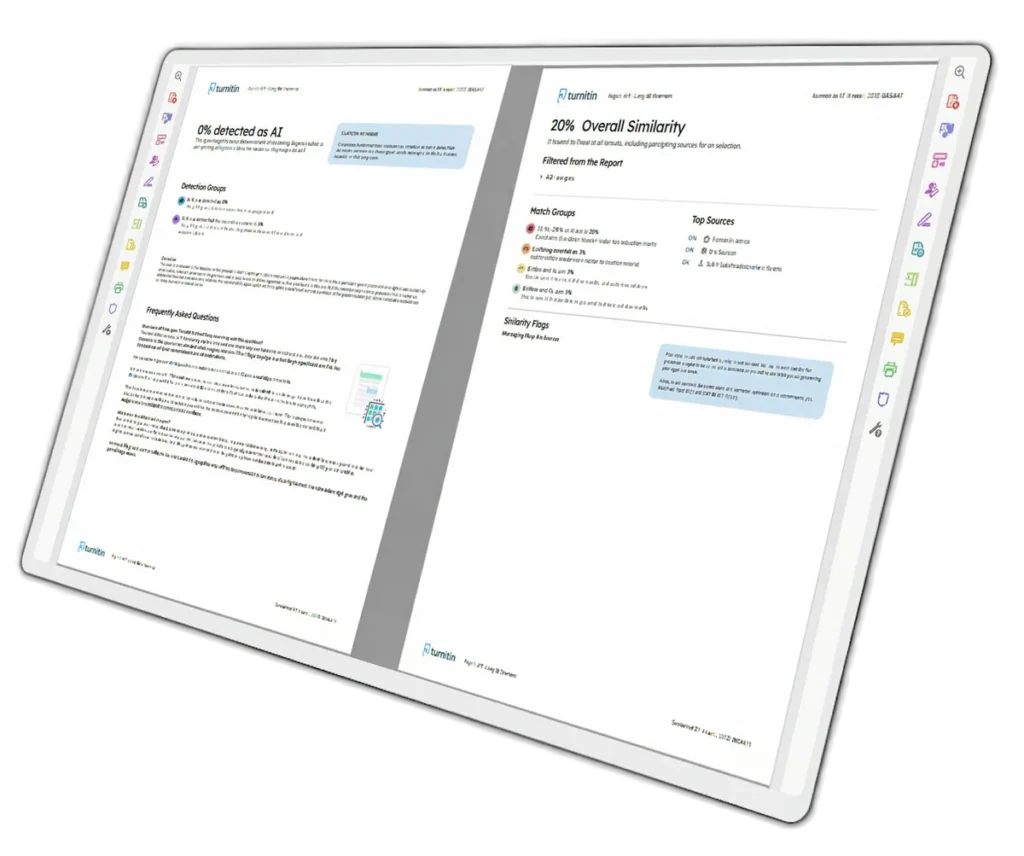
If your instructor shares an AI detection report with you, knowing how to read it matters. The report displays an overall percentage indicating how much of your qualifying text (prose sentences in long-form writing) the system predicts could be AI-generated.
Interpreting the Percentage Scores
Turnitin uses specific conventions for displaying AI detection results:
| Score Range | Display | Interpretation |
|---|---|---|
| 0% | Exact number | No AI detected |
| 1-19% | *% | Low confidence; potential false positive |
| 20%+ | Exact percentage | Higher confidence AI detection |
The asterisk system for scores between 1-19% exists because Turnitin acknowledges potential inaccuracies in estimating small amounts of AI content. If your school does not require a 0% AI score, an asterisk result is typically acceptable.
Color-Coded Highlights Explained
The interactive submission breakdown bar shows where potential AI content appears throughout your document. You can click on color highlights to jump to specific sections:
- Cyan/Blue: AI-generated text
- Purple: AI-generated text that was then AI-paraphrased
- No highlight: Sentence fell below the AI confidence threshold
Does Turnitin Support AI Writing Detection for All Submissions?
You might be asking, “Does Turnitin support AI writing detection for every assignment I submit?” The answer depends on your institution’s setup. Schools must specifically license and enable the AI detection feature. It is not automatically included with basic Turnitin subscriptions.
Additionally, instructors must enable Turnitin when creating an assignment before students submit. If an instructor forgets to turn on Turnitin during assignment setup, AI detection will not activate even if your school has the feature licensed.
Some institutions have chosen not to enable AI detection at all. DePaul University, for example, initially turned off AI detection in September 2023 to allow time for evaluation. After continued discussion, they re-enabled it in January 2024. Other schools may make different choices based on their academic integrity policies.
Language and Format Requirements
For AI detection to work, your submission must meet specific criteria:
- Minimum 300 words (documents shorter than this receive no AI analysis)
- Maximum 29,999 words
- Written in English, Spanish, or limited Japanese
- Long-form prose format (not poetry, scripts, or bullet points)
Documents that do not meet these requirements will not generate an AI report, even if submitted through a properly configured system.
False Positives: When Human Writing Gets Flagged
One of the biggest concerns surrounding Turnitin AI detection for students is the risk of false positives. A false positive occurs when the system incorrectly flags human-written text as AI-generated. This can happen for several reasons.
A 2023 Washington Post investigation by Geoffrey Fowler found that Turnitin’s tool misclassified over half of the samples reviewed and mistakenly flagged portions of a student’s original work as AI-generated. While Turnitin claims a false positive rate below 1% for documents with over 20% AI content, independent research suggests the reality may be more complicated.
Why False Positives Happen
Several factors increase the likelihood of false positives:
- Non-native English writers: Students writing in their second language often produce more predictable sentence structures, which can trigger AI flags
- Highly structured academic writing: Formal essays with standard transitions and organized paragraphs may resemble AI patterns
- Technical or scientific content: Specialized writing often uses consistent terminology and sentence patterns
- Grammar correction tools: Heavy use of Grammarly or similar tools to fix errors can make writing appear more AI-like
International students face particular challenges. If English is not your first language and you rely on grammar tools to correct significant errors, the AI may need to rewrite large portions of your text. This can result in detection flags even when you did the original writing yourself.
How to Protect Yourself
If you are worried about false positives, take these steps:
- Keep drafts and revision history showing your writing process
- Save screenshots of any grammar tool instructions you used
- Maintain notes, outlines, and research materials that demonstrate original work
- Develop a personal writing voice with varied sentence structures
- Avoid overusing common AI transition words
If your work is flagged incorrectly, having documentation of your writing process gives you evidence to present during academic integrity discussions.
Can I Use Turnitin AI Checker If My Work Contains Plagiarism?
Students sometimes ask, “Can I use Turnitin AI checker if my work is plagiarism?” This question reveals a misunderstanding about how the system works. Turnitin’s AI detection and plagiarism checking operate simultaneously but independently.
A submission can have a low similarity score (little to no plagiarism) while still containing significant AI-generated content. Conversely, a paper can be flagged for plagiarism while having a 0% AI detection score. The two metrics measure completely different things.
If you are concerned about both issues, you need to address them separately. Proper citation handles plagiarism concerns. Original writing and thoughtful revision address AI detection concerns.
AI Paraphrasing Tools: A Double Risk
Some students use AI paraphrasing tools like QuillBot to rewrite copied content, thinking this avoids both plagiarism and AI detection. This strategy fails on both counts. Turnitin can detect AI-paraphrased content (shown in purple highlights), and poorly paraphrased material may still trigger plagiarism flags if the core structure and ideas remain unchanged.
Using AI to paraphrase someone else’s work without citation constitutes academic misconduct on multiple levels. You are both plagiarizing original ideas and using unauthorized AI assistance.
Turn It In AI Checker: Best Practices for Students
Working with the turn it in AI checker requires a proactive approach. Here are practical strategies to maintain academic integrity while avoiding unnecessary flags.
Develop Your Own Voice
The most effective way to avoid AI detection concerns is to develop a distinctive writing style. AI tools produce generic, predictable content. Human writers bring personal experiences, unique perspectives, and natural variation to their work.
When drafting essays:
- Include specific examples from your own experience when appropriate
- Vary your sentence length intentionally
- Use active voice rather than passive constructions
- Avoid overusing transition words like “furthermore,” “additionally,” and “moreover”
- Insert occasional informal phrases or personal observations (when the assignment allows)
Use AI Tools Responsibly
Many universities now allow limited AI use for brainstorming or outlining. Check your institution’s specific policies. If AI assistance is permitted:
- Use AI for initial idea generation only
- Never copy AI-generated text directly into your submission
- Fact-check everything AI produces (it hallucinates sources and information)
- Transform any AI-suggested ideas into your own words
- Disclose AI use if your instructor requires it
Document Your Process
Keep records of your writing process, especially for major assignments. Save multiple drafts, research notes, and any outlines you created. If questions arise about AI use, this documentation proves your original effort.
The Future of AI Detection in Education
AI detection technology continues evolving. Turnitin regularly updates its models to keep pace with new generative AI tools. However, the company maintains that its detection results should never be the sole basis for academic misconduct penalties.
Turnitin explicitly states: “Our AI writing detection model may not always be accurate (it may misidentify human-written, AI-generated, and AI-paraphrased text), so it should not be used as the sole basis for adverse actions against a student.”
This position reflects the broader reality: AI detection is a tool for starting conversations, not delivering verdicts. Human judgment remains essential in academic integrity processes.
What Students Should Remember
The Turnitin AI checker for students represents a significant shift in how academic work is evaluated. Understanding how it works helps you move through this new environment confidently.
Key takeaways:
- You cannot access Turnitin’s AI checker directly; only instructors can view results
- The system detects GPT-3, GPT-4, Gemini, and LLaMA-generated content with high accuracy for fully AI-written text
- False positives occur, particularly for non-native English writers
- Documentation of your writing process protects you against incorrect flags
- Developing a personal writing style remains your best defense
AI tools are not going away. Learning to use them ethically while maintaining your own authentic voice will serve you throughout your academic career and beyond.
Get Fast Writing Help – No Plagiarism Guarantee!
Need assistance with your writing? Look no further! Our team of skilled writers is prepared to provide you with prompt writing help. Rest assured, your work will be entirely original and free from any plagiarism, as we offer a guarantee against it. Experience swift and dependable writing assistance by reaching out to us today!
Top-Rated Writing Service | GET Flawless papers for All Your classes!